
Download the RAYVIZION documentation
Get the latest versions of the RAYVIZION technical datasheet and user manual.
Gateway documentation
DALI and Casambi scene management
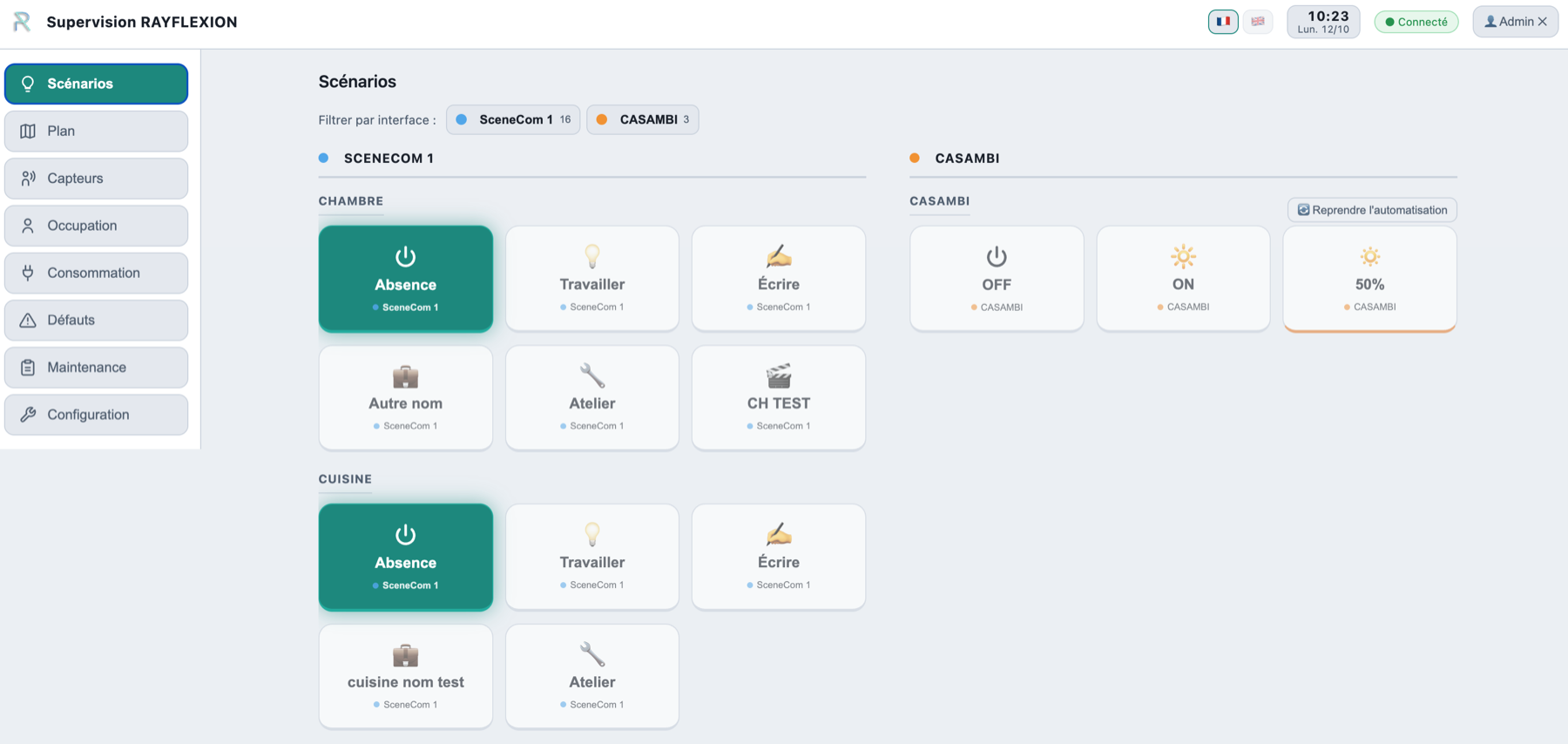
Scenes are detected automatically on sceneCOM Tridonic controllers (DALI) and on Lithernet gateways (Casambi), then grouped by zone in RAYVIZION. No scene can be created from RAYVIZION itself: configuration happens upstream, on the controller or in the manufacturer’s app.
Floor plan mapping and supervision
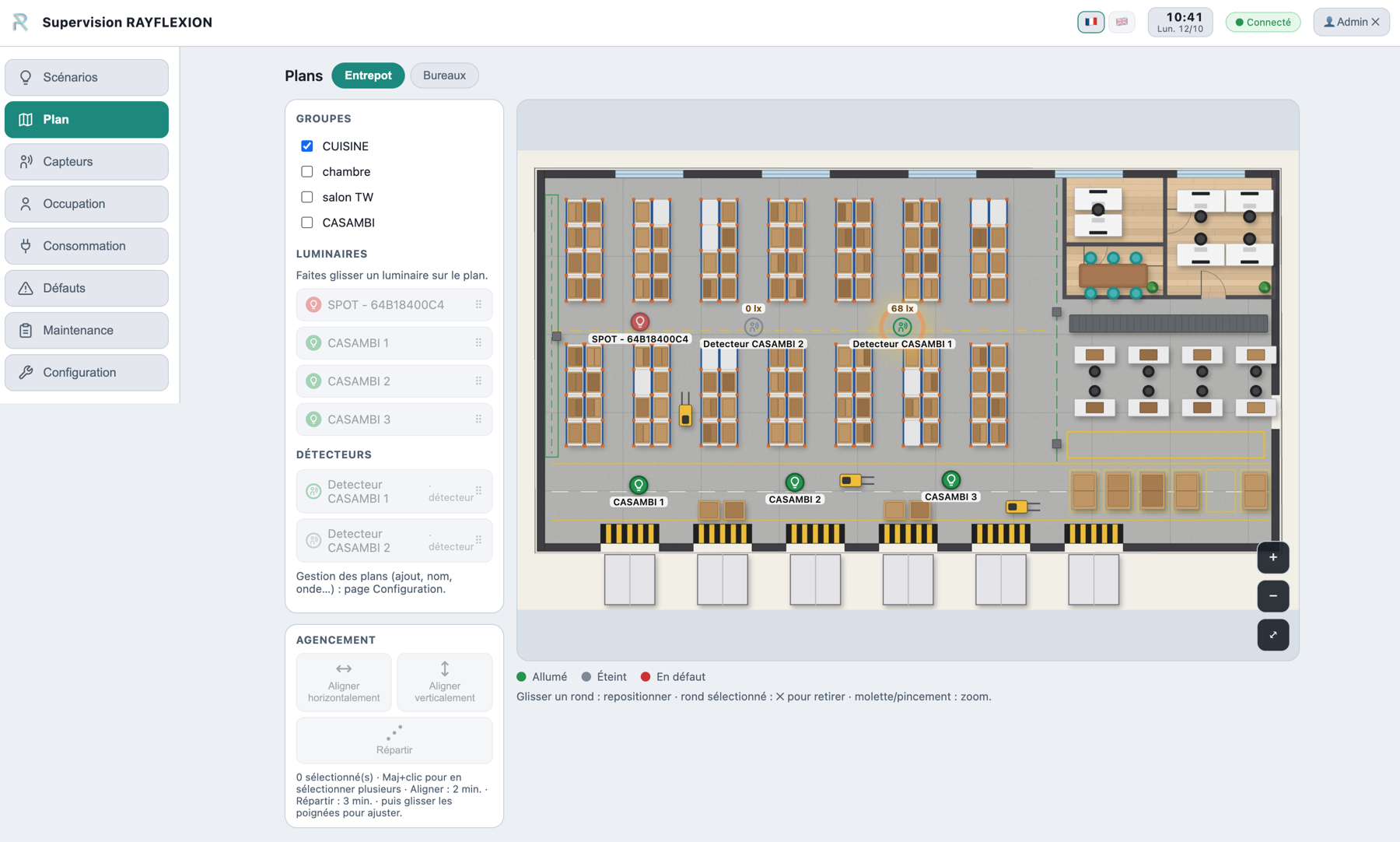
Luminaires and detectors reported by RAYVIZION are positioned by drag and drop on one or more building floor plans (JPEG, PNG or PDF), with their status shown in real time.
Three colours are used for luminaires: green = on, grey = off, red = fault.
For presence detectors, a wave-shaped animation appears around the sensor, making it easy to see at a glance where a person is detected.
Alignment and distribution tools make it easy to arrange devices on the plan (administrator mode).
Presence and light sensor supervision
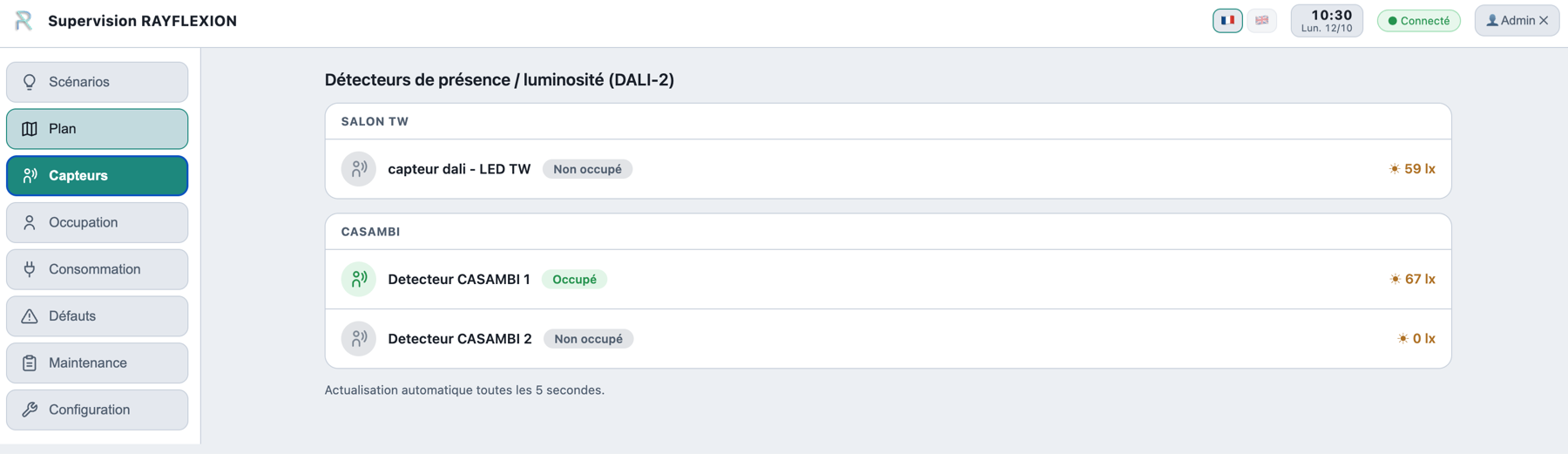
RAYVIZION aggregates the status of each detector reported by the gateways, grouped by space. It lets you see at a glance, for each space, whether a detector senses a presence and what the light level is where it is located.
The information refreshes automatically every 5 seconds.
Occupancy analysis via motion detection
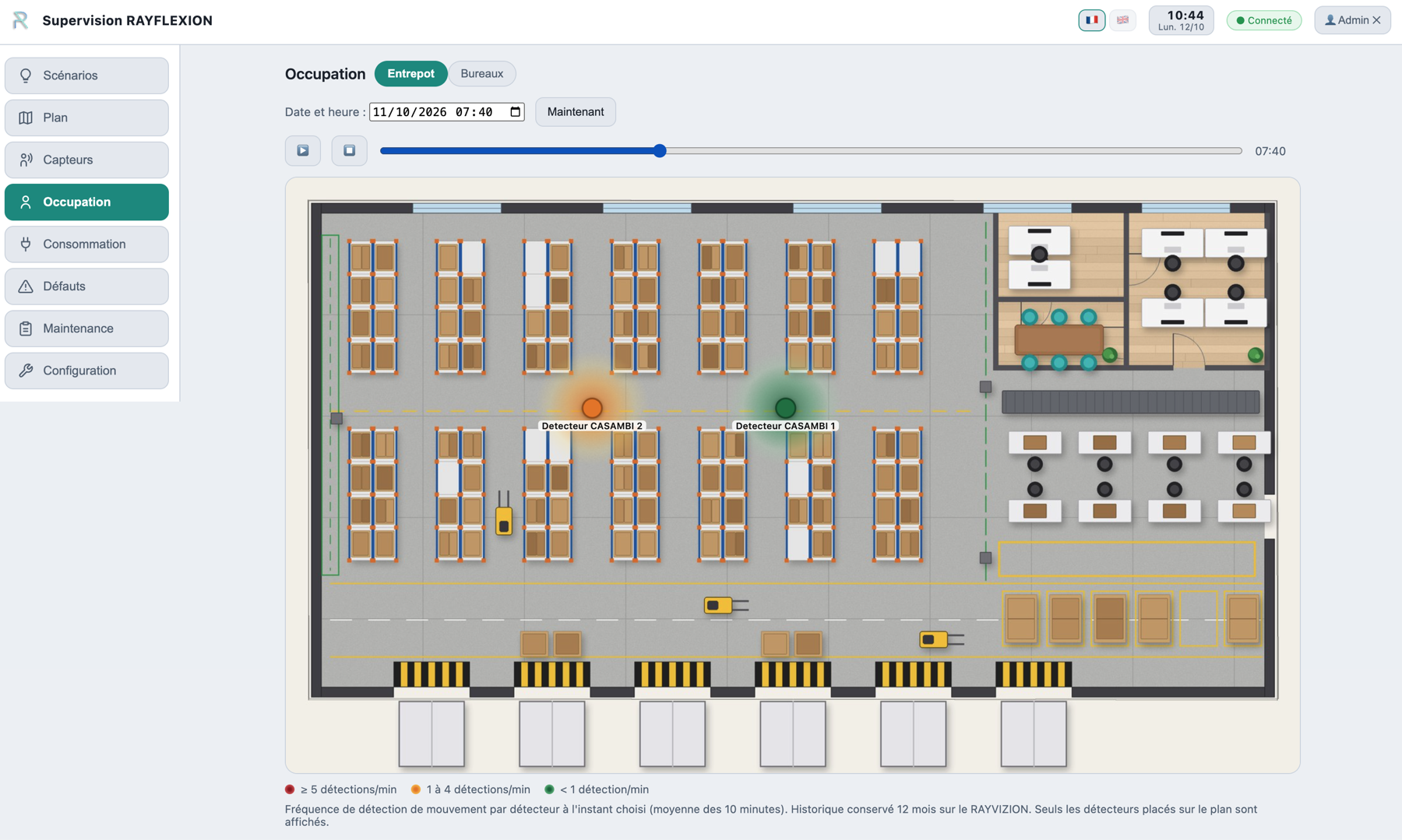
RAYVIZION calculates how often each sensor detects movement and overlays it on the plan: the colour of each detector (green, orange, red) shows the level of activity.
You can choose the date and time to review the activity at a specific moment.
Data is stored for 1 year. RAYVIZION does not display people in any way: only the detected activity is shown.
Energy consumption measurement and tracking
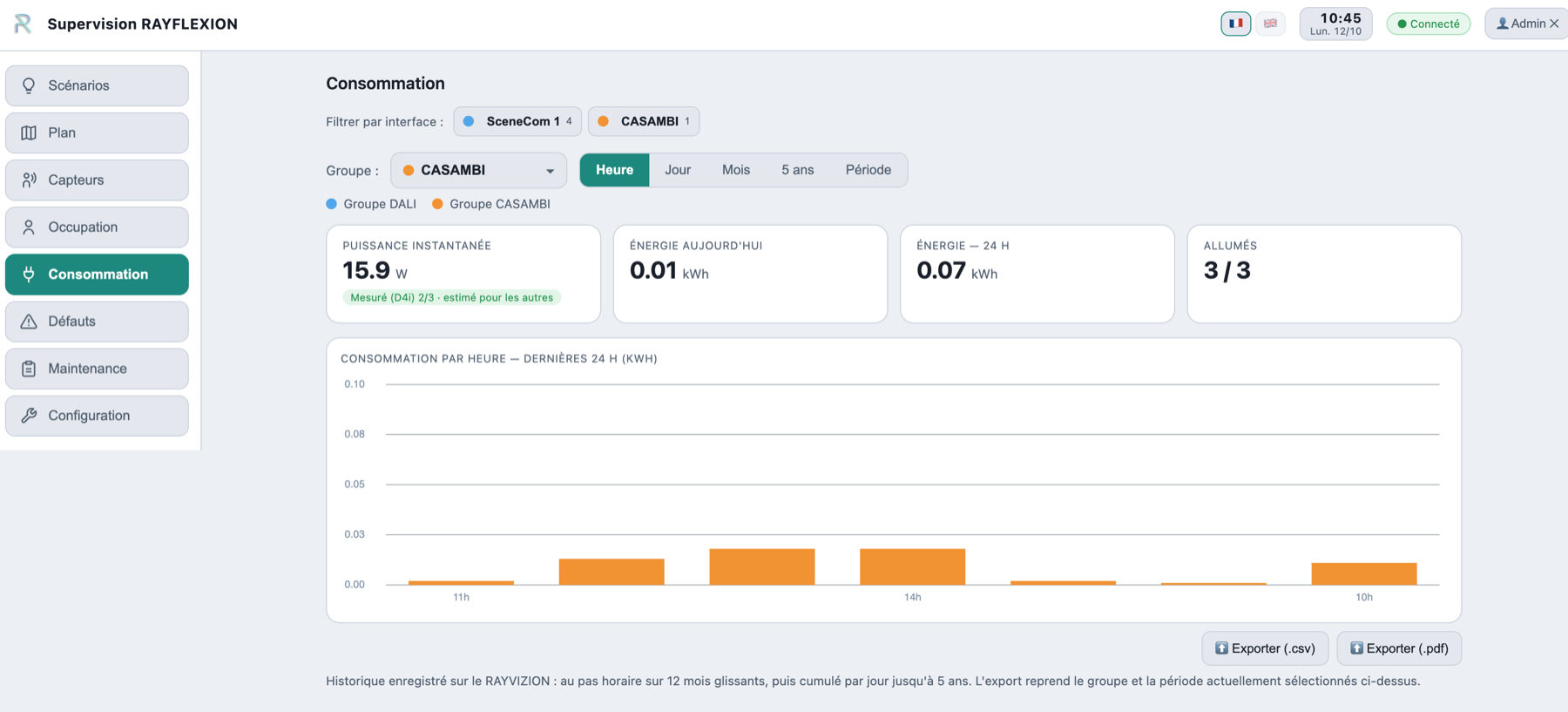
RAYVIZION tracks energy consumption per group of devices, or for all devices across all connected gateways, by hour, day, month or over a custom period.
This information is stored for 5 years (BACS decree compatible) and the data can be exported (CSV, PDF).
Fault detection and history
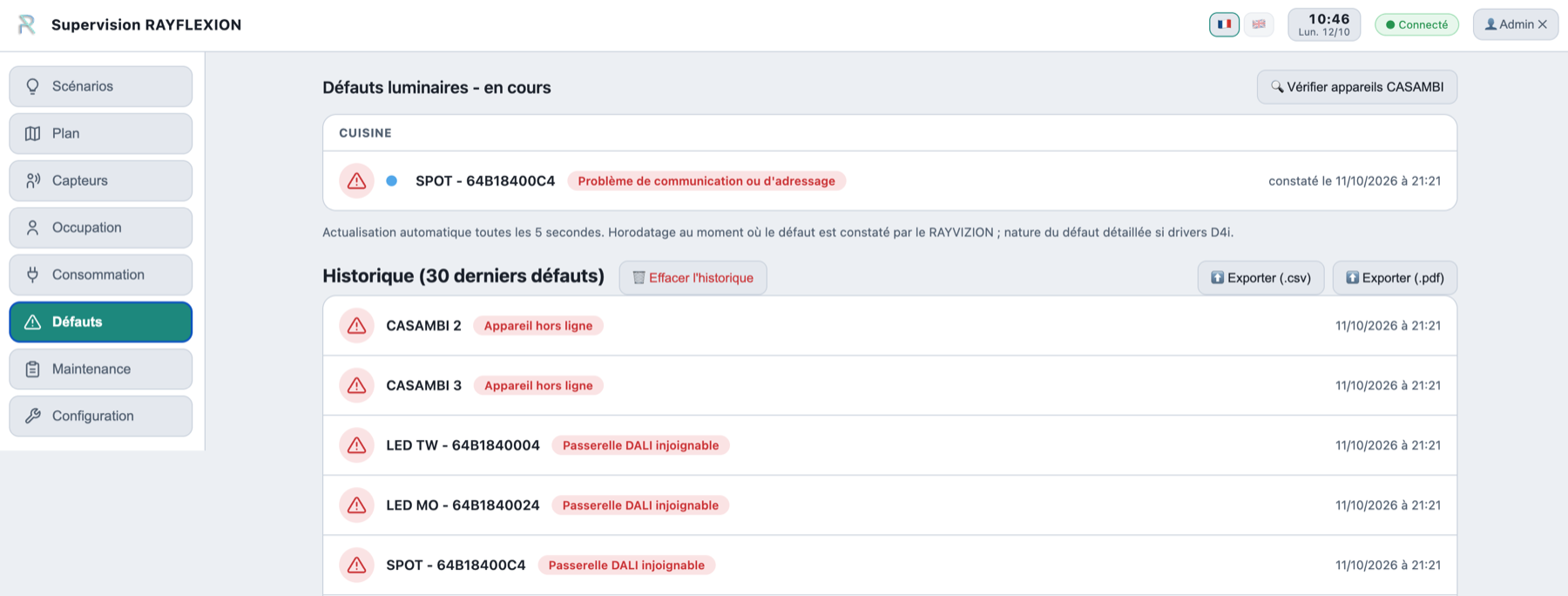
RAYVIZION consolidates faults reported by D4i DALI luminaires and error messages flagged by the Casambi app.
The 30 most recent faults are kept as a record, including after they are resolved.
Fault details are only reported if the drivers are DALI D4i. Data can be exported (CSV, PDF).
Maintenance intervention log
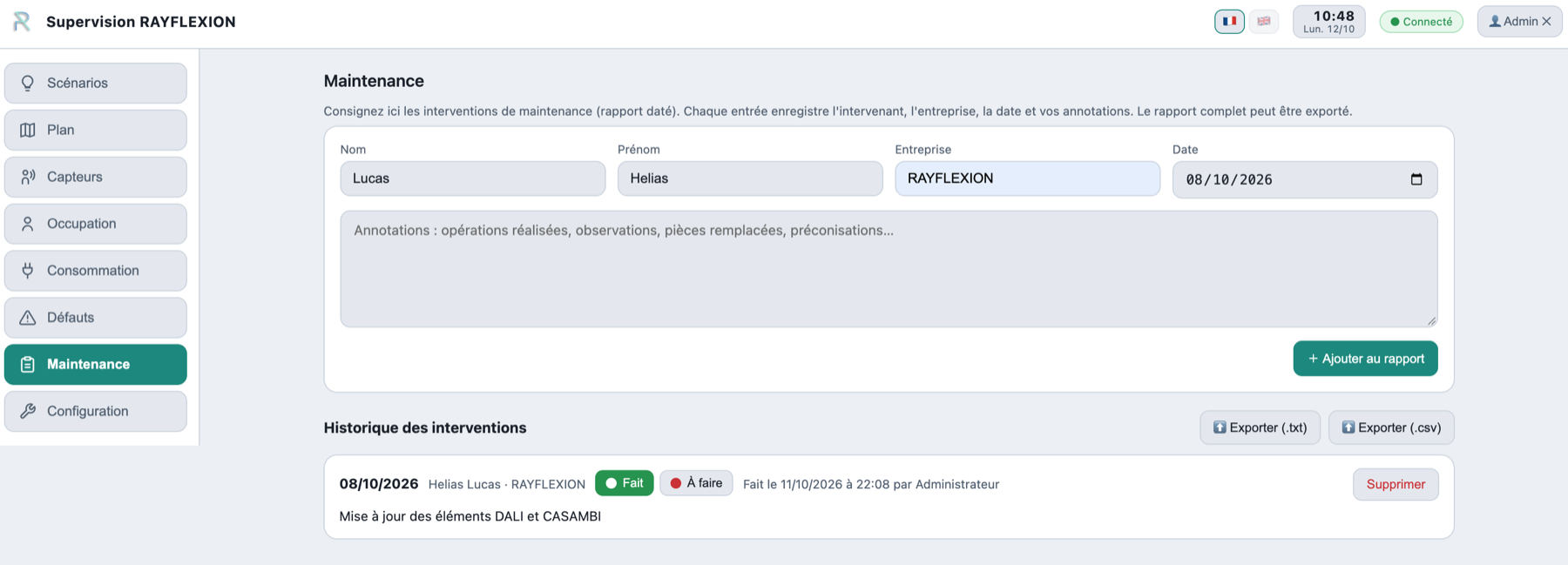
Each maintenance intervention is logged as a timestamped entry in a report available at any time.
You can record whether the action has been done or not and, if so, by whom. Data can be exported (TXT, CSV).
System administrator settings
The Configuration groups all of the RAYVIZION administrator settings under 9 tabs. It is protected by an administrator code (which can be changed, with a reset procedure if forgotten); the “Quit configuration” button takes you back to supervision at any time.
DALI and Casambi gateways
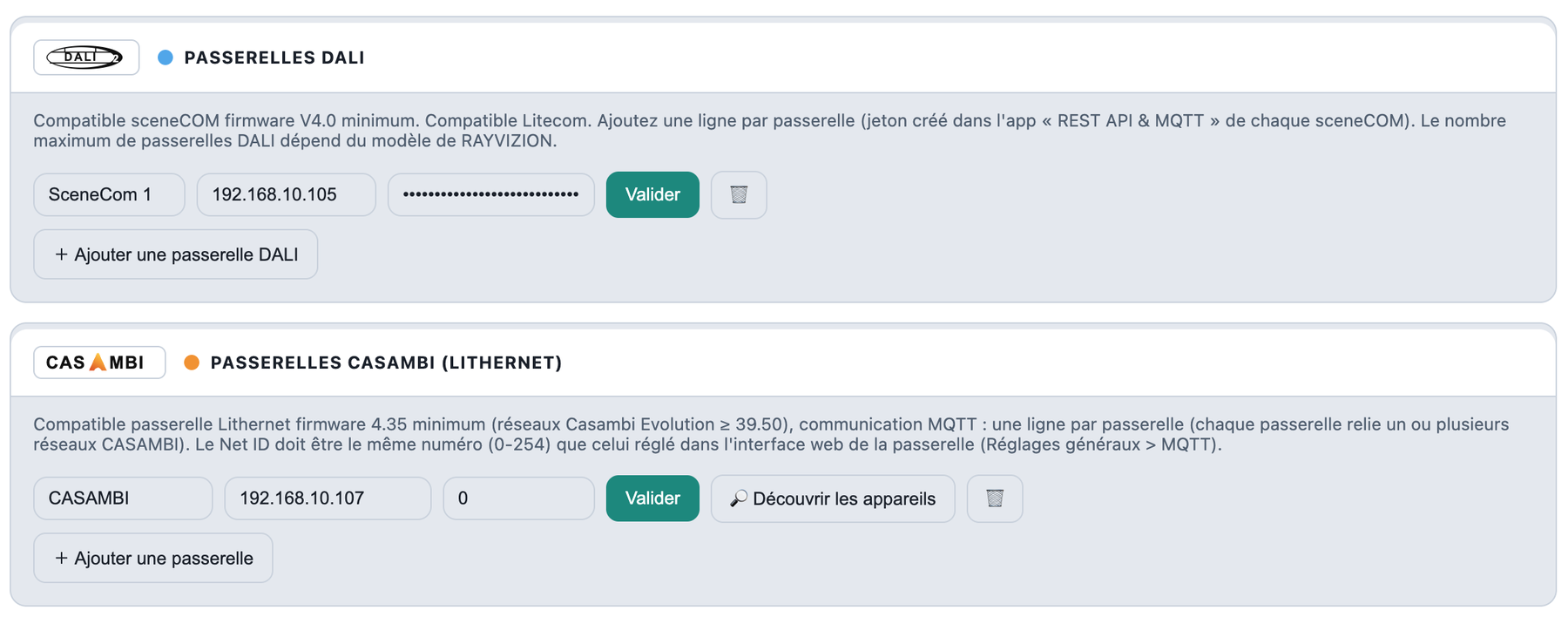
Add one line per DALI (sceneCOM) or Casambi (Lithernet) gateway, then validate.
RAYVIZION licence and IP address
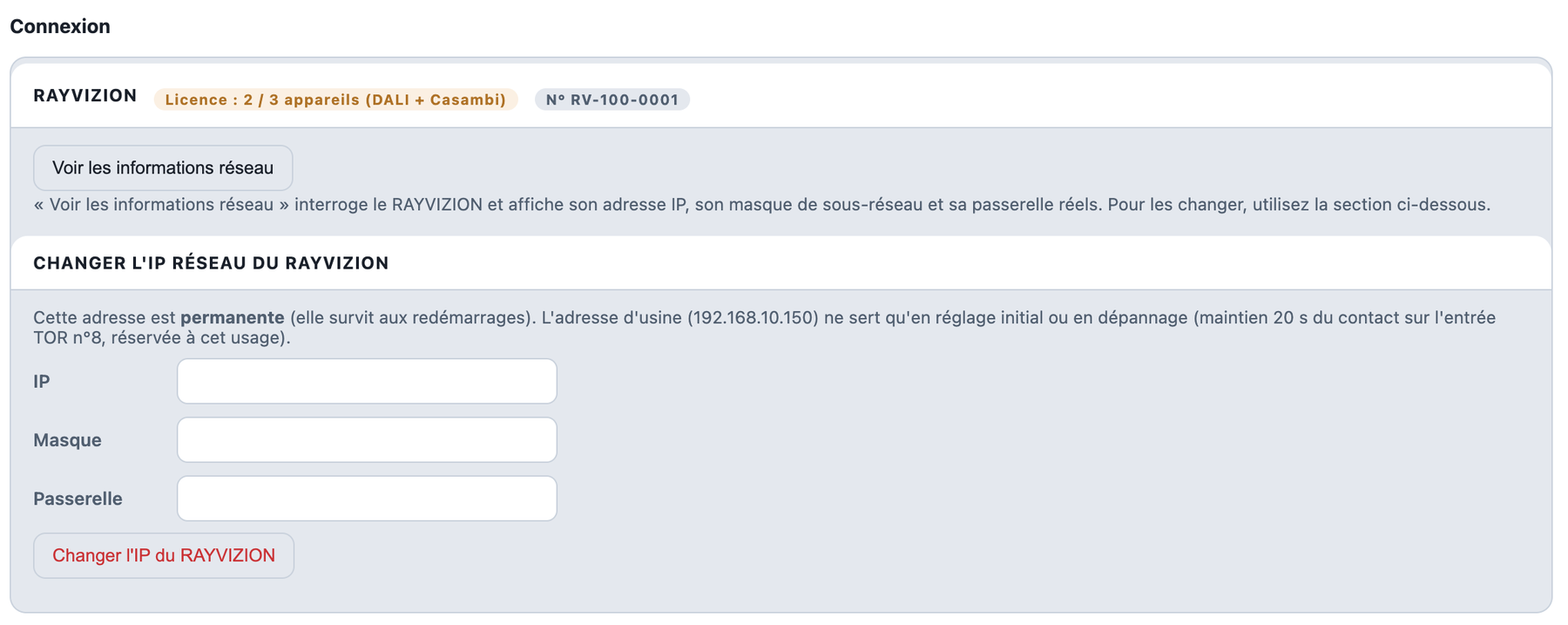
Check the licence and serial number, and set the RAYVIZION IP address.
Daily email report
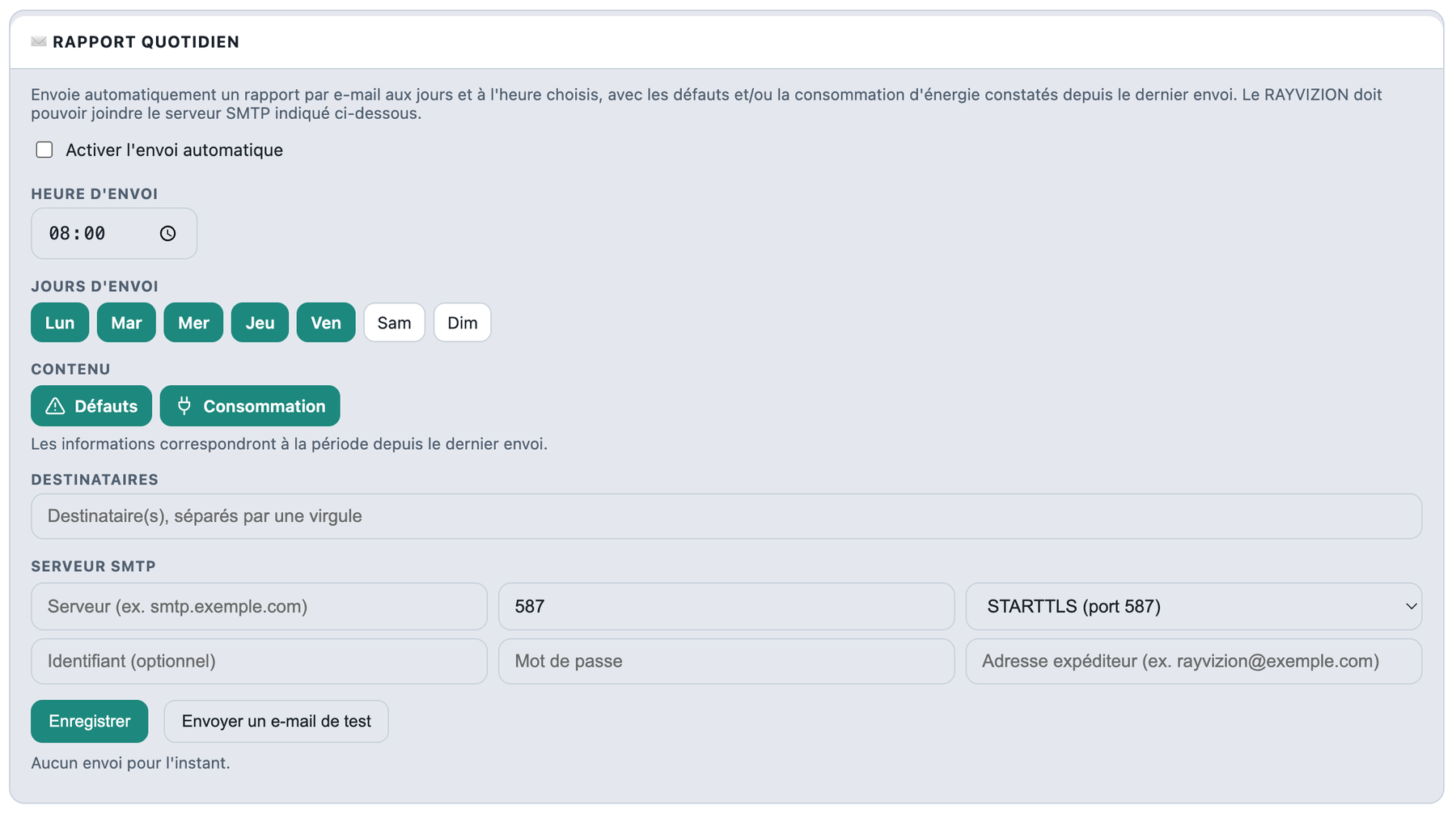
Receive faults and consumption by email, on the days and at the time you choose.
Factory reset
Returns the RAYVIZION to its original state (irreversible; serial number, licence and network address are kept).
DALI and Casambi scenes
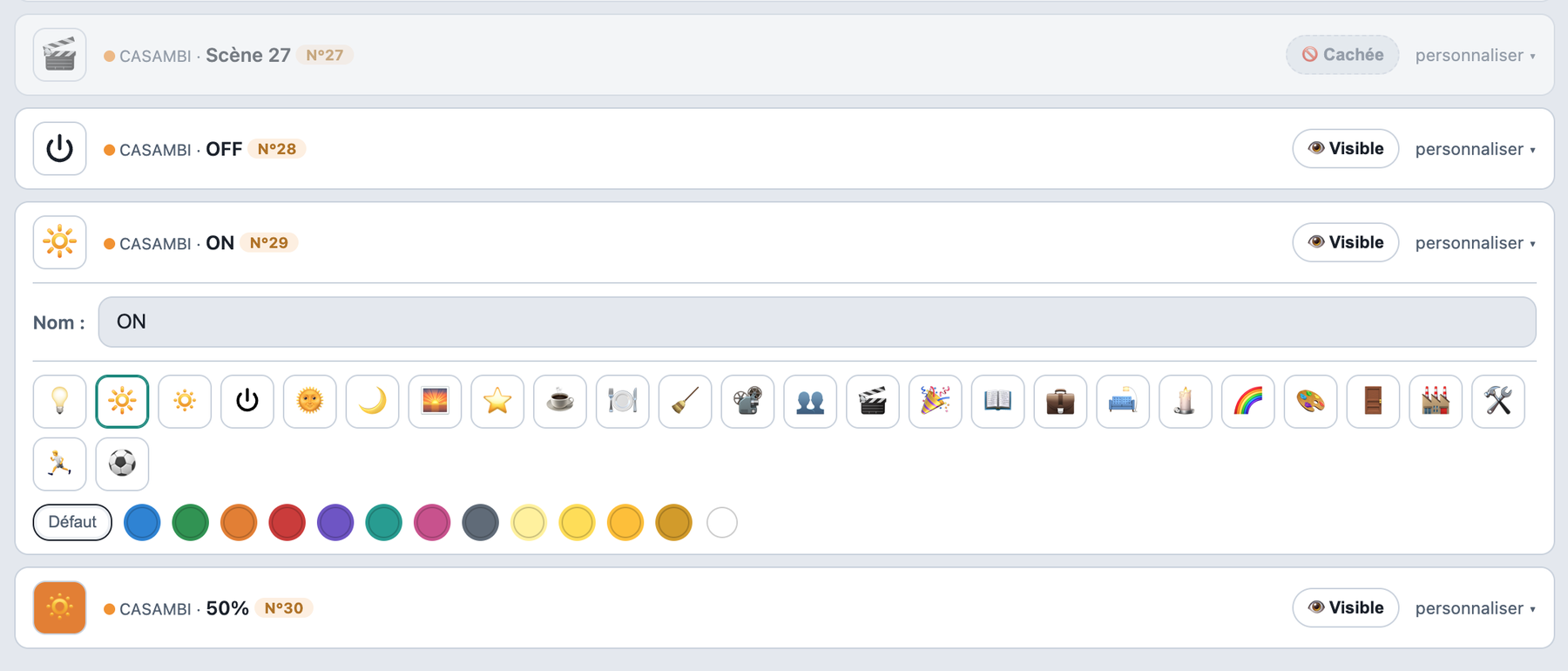
Choose each scene’s icon and colour, and show or hide it. For a Casambi scene, “Read” gives its number.
TOR inputs (dry contacts)
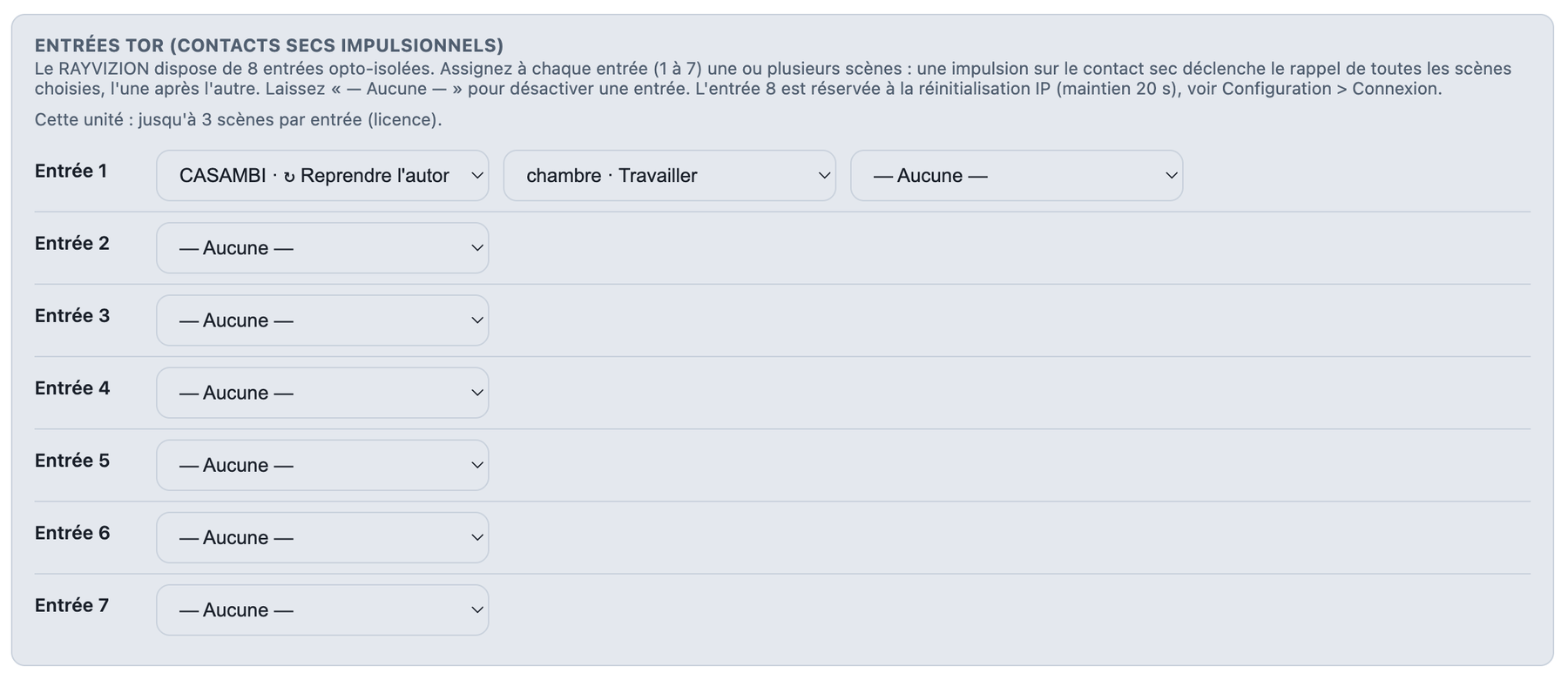
7 ports are available to trigger scenes that are picked up by the RAYVIZION.
Casambi groups, luminaires and detectors
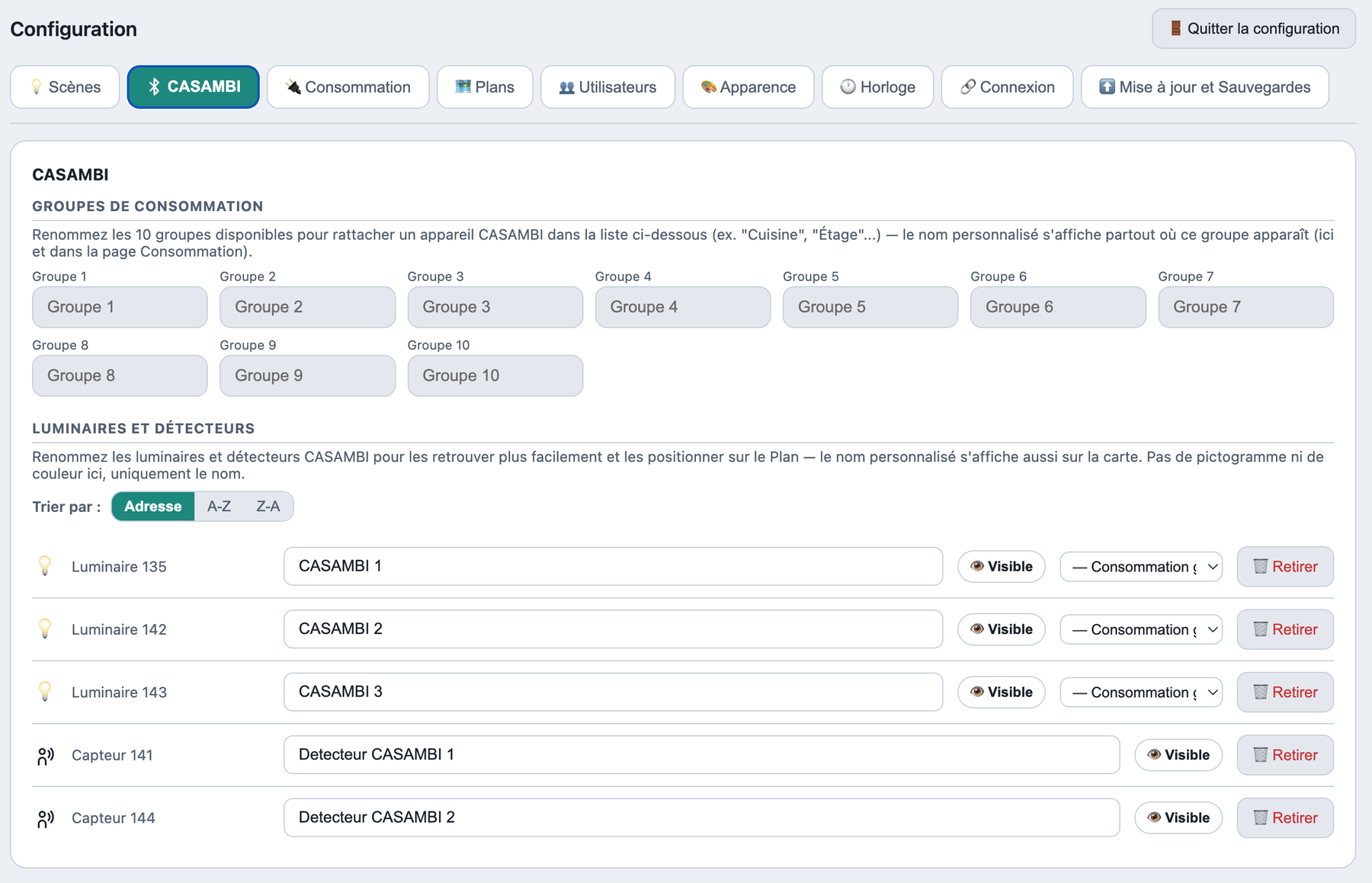
Rename, show or hide Casambi luminaires and detectors, and place Casambi luminaires in consumption groups.
Rated power and dimming curves
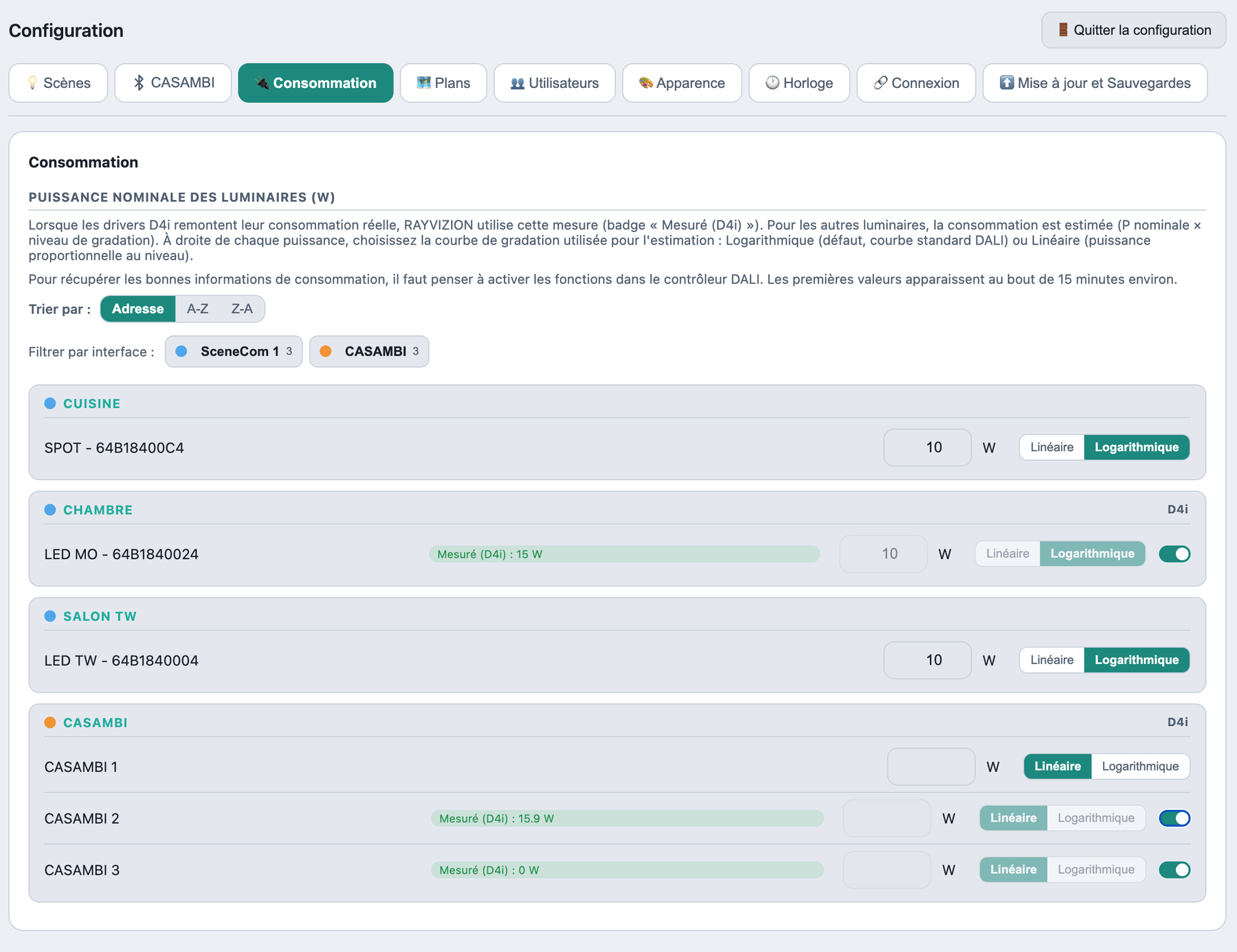
Enter the rated power and choose the dimming curve; D4i drivers report their actual measurement.
Plans and presence wave
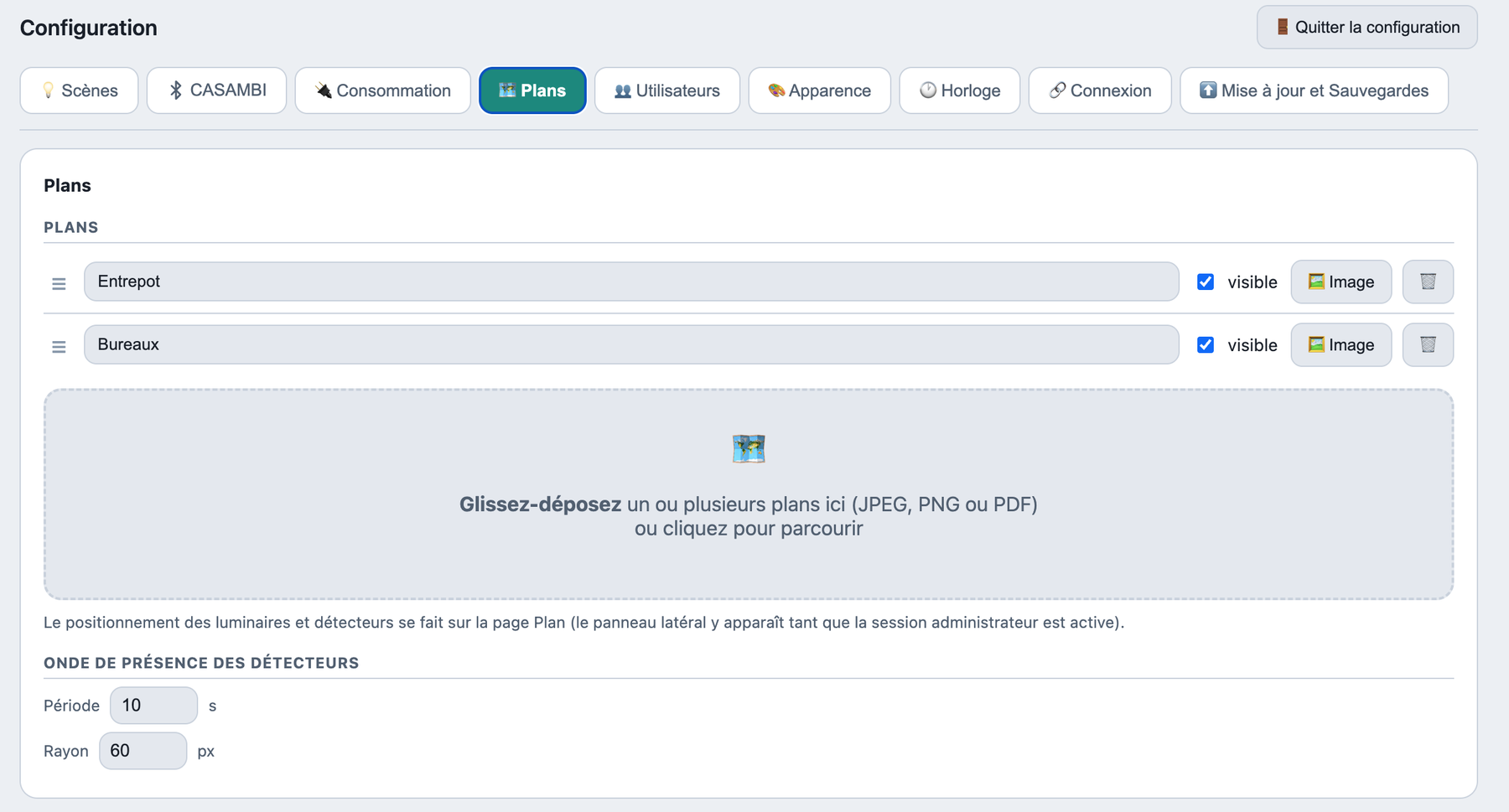
Import your plans (JPEG, PNG, PDF) and set the presence wave.
Users (reader mode)
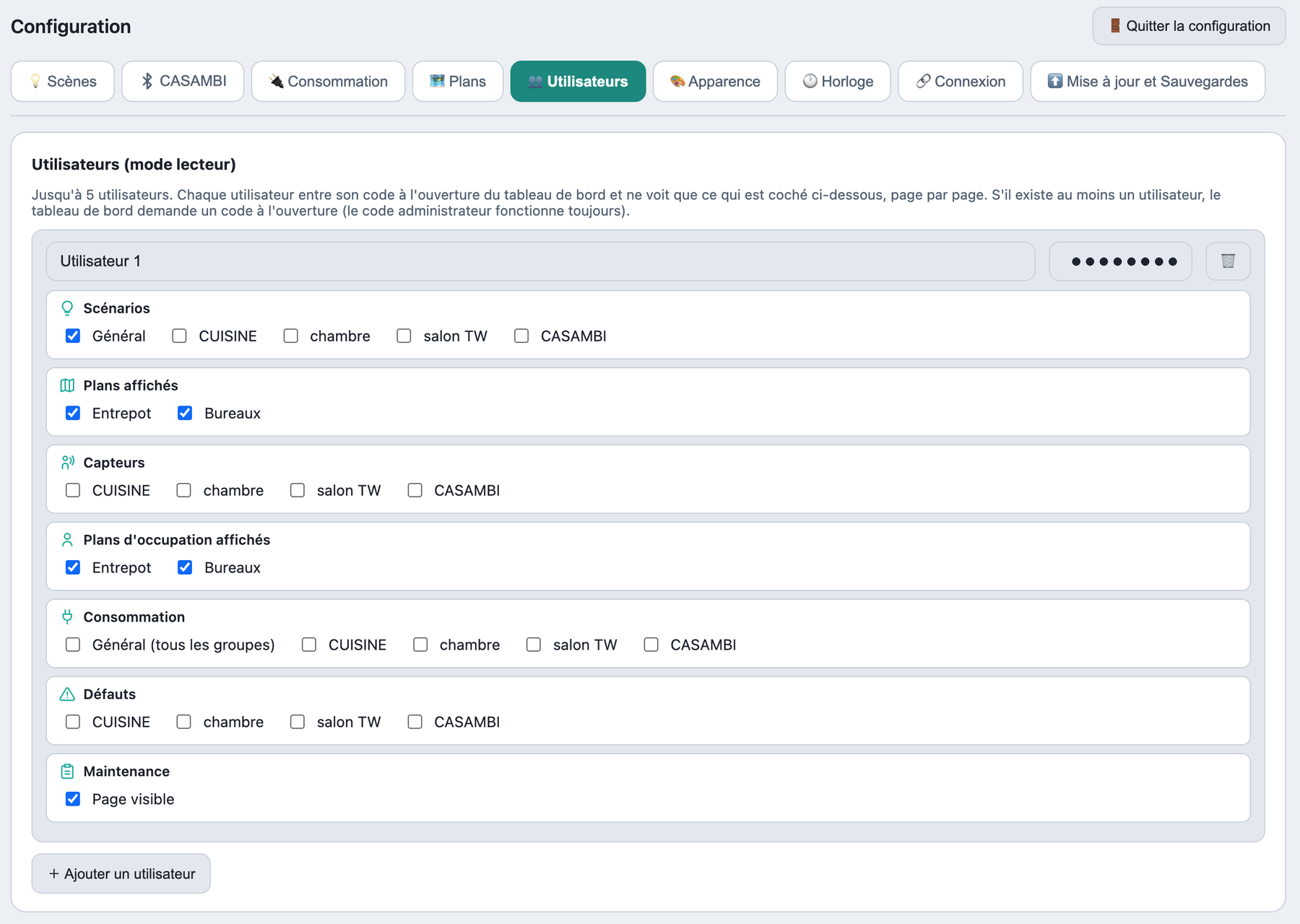
Create up to 5 users and choose what each can see. Access is password-protected.
Name, logo and theme
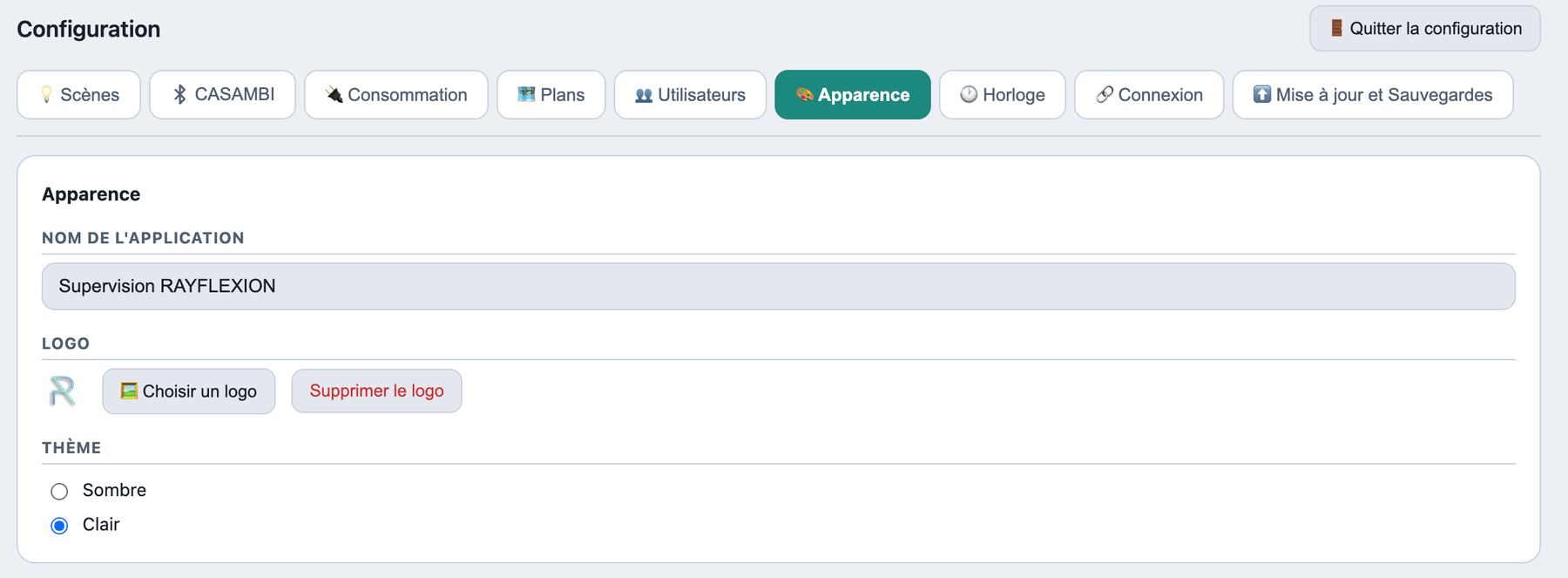
Customise the name and logo with ease. 2 themes are available: Light and Dark.
Date, time and time zone
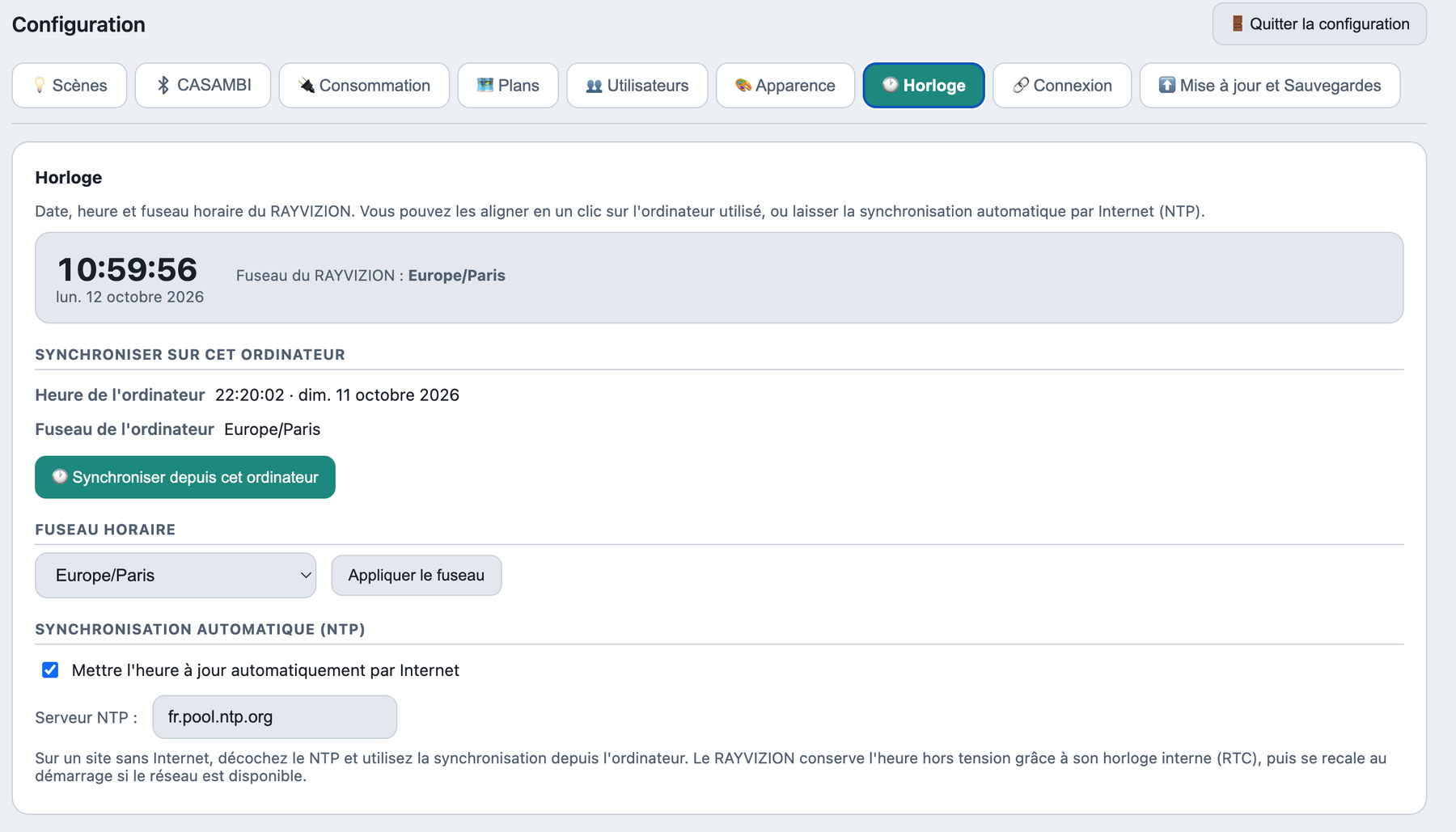
Synchronise the time over the Internet (NTP) or from your computer.
Update and backups
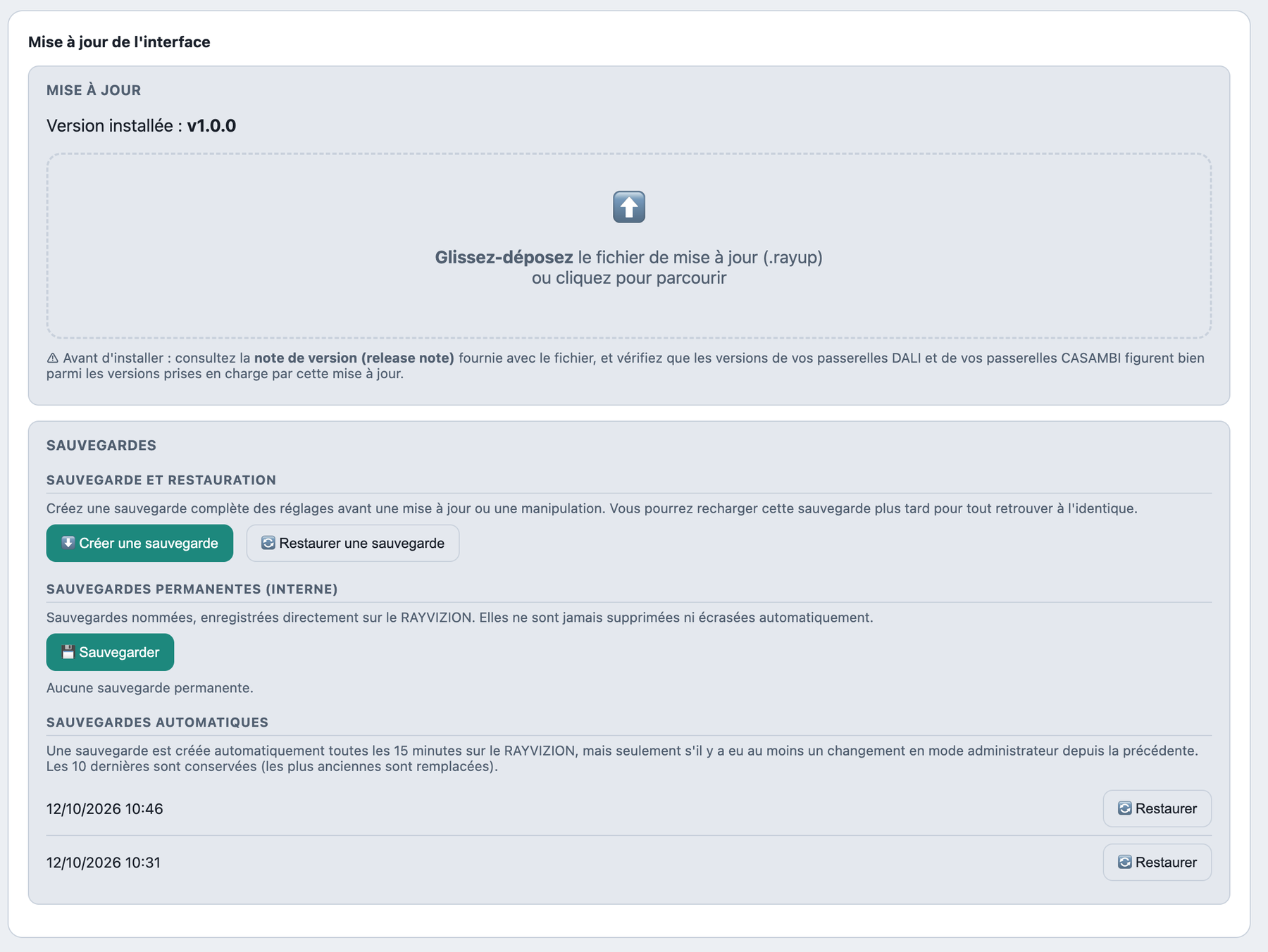
Install an update and manage backups. Automatic backups are created; backups can also be stored in the RAYVIZION or downloaded.